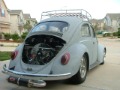
That's a sick amount of power!!

That car sounds so smooth!
For YouTube videos:
1. Underneath the video on the YouTube page, there is a 'share' button. Once you select it, a drop down box will appear and it will have a link in it. The drop down box will be titled 'Link to this video'. This is not the link you want.
2. Next to the link will be a link that says 'show options'. Select that.
3. Put a check mark in the 'long link' box.
4. Copy the link that now appears.
5. In the message body of the DLK site, select the 'youtube' button.
6. Paste the link you copied from the YouTube page inbetween the open and closed youtube code in the message body. It should look like:
[youtube]http://www.youtube.com/watch?v=fEM6UJKhMYI[/youtub]
****I removed the 'e' from the word youtube so you could see the code displayed. *****Successful results will appear like shown below:
[youtube]http://www.youtube.com/watch?v=fEM6UJKhMYI[/youtube]
Let me know if you have any further quersions



 Login
Login Register
 FAQ
FAQ Search